QR scanner
Any phone at the counter becomes the scanner
Staff sign in on a phone or tablet, choose their store and scan. No dedicated hardware and no app store — the scanner runs in the browser over HTTPS.
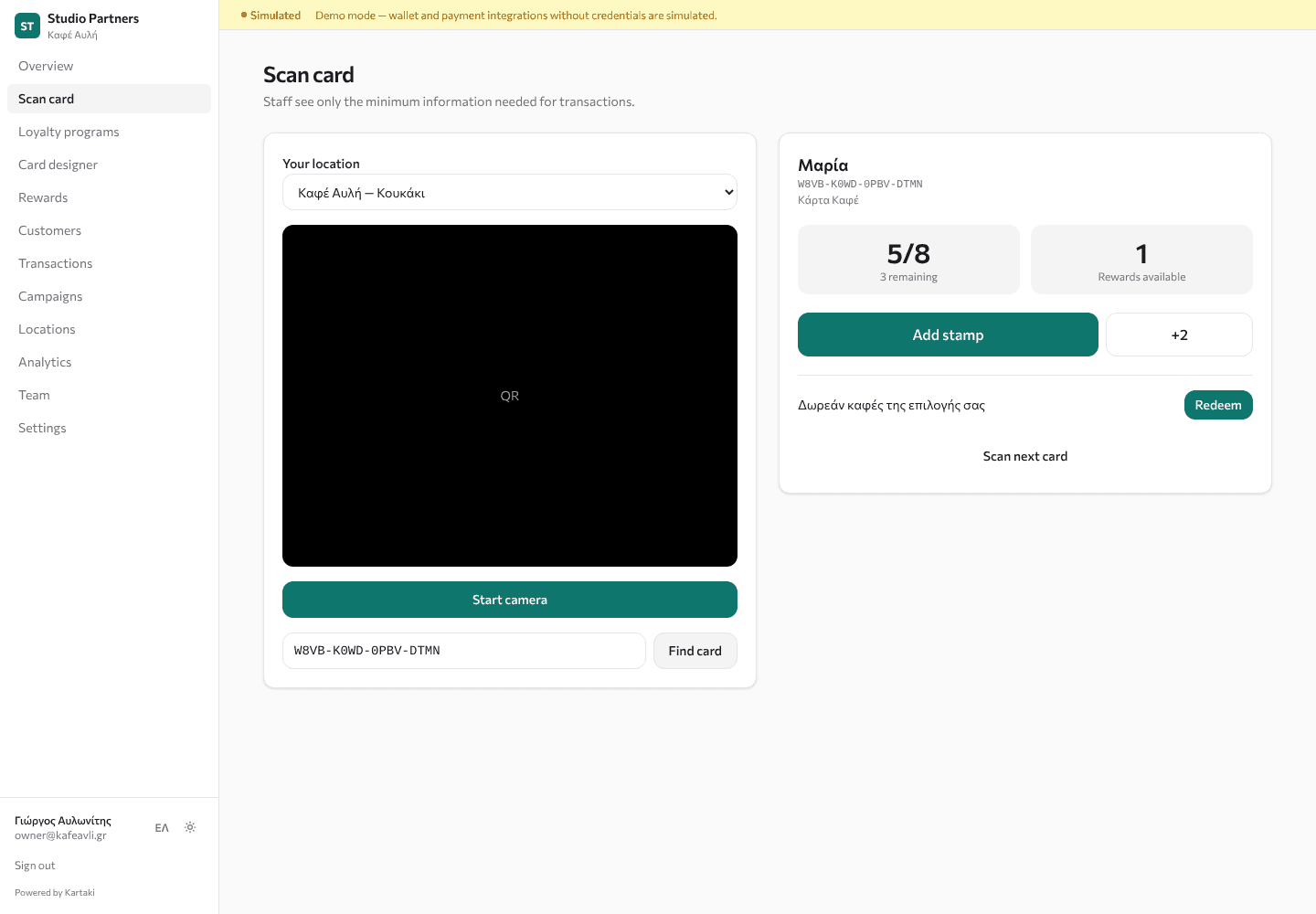
Built for a busy counter
Camera or code
Scan the QR with the camera, or type the 16-character code printed under it if the camera struggles.
One tap per action
Add a stamp, enter a purchase amount, record a visit, check in a member or redeem a reward.
No double-counting
Each action carries a unique key, so a double tap or network retry is recorded once.
Location permissions
Staff can only act at the stores they're assigned to; managers see every store.
Minimum information
Staff see a first name and balances — never emails or phone numbers.
Audited corrections
Managers reverse mistakes with a written reason; the original record stays.
- Works in mobile Safari and Chrome
- Requires HTTPS for camera access
- Daily earning caps per card
- Every action logged with staff and store
Frequently asked questions
Do I need a scanner device?
No. Any recent smartphone or tablet with a camera and a browser works.
What if the camera can't read the code?
Staff type the short code printed under the QR. The result is the same.
Can staff give themselves points?
Staff can only use the scanner at their assigned stores, within your daily limits. Manual adjustments and reversals are restricted to managers and require a reason.
The Stampaki product
Customer rewardsRewards that unlock automatically and can only be redeemed once.Wallet experiencesApple Wallet and Google Wallet cards with live balances and store locations.CampaignsOffers, bonus days and win-back campaigns within each platform's rules.AnalyticsMembers, visits and redemptions — measured from real activity.Card designerDesign branded cards with live web, Apple Wallet and Google Wallet previews.White-label platformRun Stampaki under your own name, colours and domain.Agency dashboardOnboard and manage every client business from one portal.Nearby Wallet experiencesCards that phones can surface near your stores.